Embark on a humorous and relatable journey into the chaotic world of DIY computer upgrades, where tangled wires, stubborn hardware, and unexpected glitches turn a simple task into an unpredictable adventure. This guide demystifies the process, showing how patience, preparation, and a good sense of humor are key to transforming frustrations into rewarding victories. From understanding the evolution of hardware and compatibility considerations to embracing the culture of shared mishaps and successes, readers are encouraged to see chaos not as a setback but as part of the learning journey. With practical tips on handling delicate components, managing cables, and troubleshooting, this overview inspires confidence and resilience. Are you ready to navigate the messy, hilarious landscape of tech upgrades and turn your frustrations into fun? The secret lies in celebrating every small victory along the way—because in this game, the journey is just as important as the upgrade.

Navigating the Humorous Chaos of DIY Computer Upgrades
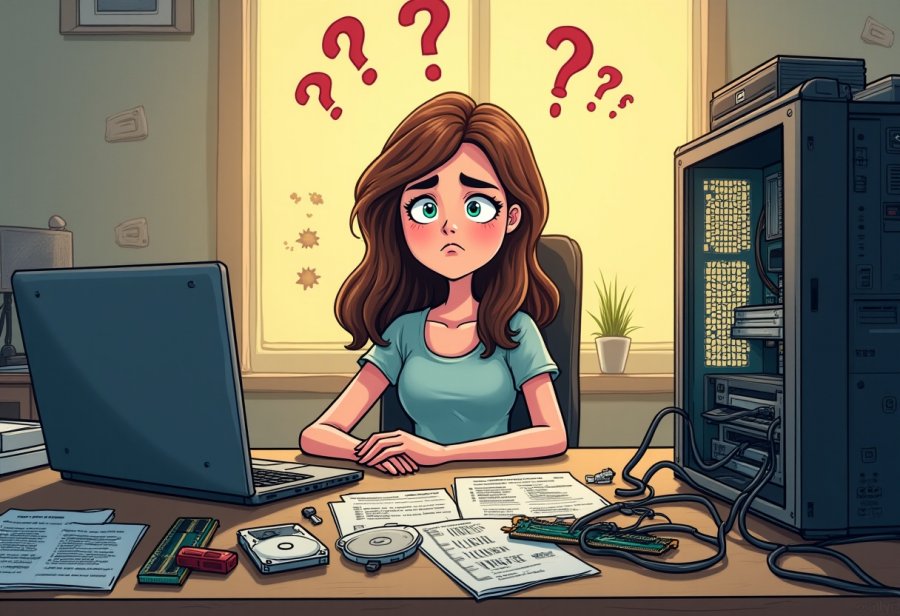
Have you ever cracked open your computer expecting a quick upgrade, only to be greeted by a chaos of cables, tiny screws, and parts that seem to have a mind of their own? That moment of anticipation often quickly turns into a humorous mess—wires slipping through your fingers, screws bouncing off the desk, and a manual that might as well be in a foreign language. It’s a scene many of us have faced: a seemingly simple task spiraling into a comedy of errors.
This chaotic scene isn’t just frustrating; it’s almost part of the charm of DIY tech projects. The tangled cables, stubborn hardware, and unexpected glitches turn what should be straightforward into a memorable adventure. Many of us have stared at an awkwardly fitted motherboard or a graphics card that refuses to seat properly, wondering if we’ve just created a new kind of puzzle. The spaghetti-like wiring becomes a symbol of the chaos that often accompanies upgrading your own computer.
Yet, there’s something satisfying about getting your hands dirty and making improvements yourself. Each tiny victory—fitting that stubborn RAM stick or troubleshooting why your PC isn’t recognizing a new drive—brings a grin, even if it’s brief before the next challenge appears. Embracing the mess helps turn frustration into learning. It’s a process filled with small, rewarding moments that make the journey fun rather than stressful.
Understanding that chaos is part of the process can make all the difference. Recognizing that tangled cables, misfitted parts, and unexpected setbacks happen to everyone helps keep patience intact. These moments become stories to laugh about later—whether it’s a screw rolling off the desk or a cable disaster that looks straight out of a sitcom. That sense of humor bonds the DIY community and keeps the spirit of tinkering alive.
The truth is, every upgrade involves a bit of chaos. The key is to approach it with patience and a sense of humor. It’s normal for things to go wrong or for parts not to fit perfectly the first time. With practice, what once seemed overwhelming becomes routine. And in the end, the satisfaction of upgrading your own machine—despite the mess—is incredibly rewarding. It’s about enjoying the process and celebrating each small victory along the way.
From Origins to Modern Hardware: Understanding the Structure of DIY Upgrades
DIY computer upgrades have evolved significantly from their early days as a niche activity for tech enthusiasts. Today, they’re a popular way for anyone to breathe new life into aging machines or boost performance without splurging on a new system. The core idea remains simple: replace or add components to improve speed, storage, or graphics capabilities. Thanks to advances in hardware design and a wealth of online tutorials, this process has become more accessible and less intimidating for everyday users.
The main components involved in upgrades are fairly straightforward but crucial. RAM, or memory, is often upgraded first because it helps your computer handle multiple tasks more smoothly. Swapping out your existing storage for faster SSDs or larger HDDs can significantly reduce load times and increase capacity. Graphics cards are the go-to upgrade for gamers and creative professionals, providing a noticeable boost in visual performance. Each part comes with specific specifications and compatibility considerations—making sure everything fits your motherboard, power supply, and case is key to avoiding surprises.
Over the years, the way we upgrade has shifted from complex soldering and cramped spaces to a more user-friendly experience. Modern cases feature tool-less designs, and standards like PCIe and SATA have simplified the process of adding or replacing hardware. This change has opened the door for more people to try upgrading on their own, with fewer risks of damaging delicate components. Online guides, forums, and videos walk users through each step, transforming what once was a technical maze into a manageable project.
Despite these improvements, the physical act of upgrading can still be chaotic. Handling tiny RAM sticks or delicate graphics cards inside tight cases can test even the most patient. Compatibility issues often pop up if you don’t double-check whether your new hardware fits and works with existing parts. For example, a large GPU might block airflow or won’t fit into a small case, turning cable management into a spaghetti-like tangle of wires. These moments add to the humor and challenge of DIY upgrades.
Embrace the Chaos: Master Your DIY Computer Upgrades, an article by Daphne Douglas on Are You Going To Scarborough Fair?, expands on this topic.
Designers and manufacturers have responded with hardware that’s more intuitive and easier to install. Motherboards now have clearly labeled slots, and cases often include features like easy-access panels and cable routing options. These innovations reduce guesswork and help prevent accidental damage, making the upgrade process smoother. Online communities further support this effort by providing troubleshooting tips and shared experiences, easing the frustration of unexpected setbacks.
Understanding the background of these upgrades helps demystify the process and reduces the intimidation factor. Knowing what each component does and how it connects makes troubleshooting more straightforward and boosts confidence. Whether you’re installing a new hard drive or swapping out a GPU, familiarity with the basics makes the experience more enjoyable and less stressful. It’s about turning a sometimes messy, chaotic task into a rewarding learning journey.
Today’s hardware and community support have transformed DIY upgrades from daunting tasks into accessible hobbies. Better hardware design, abundant resources, and shared knowledge empower more people to take control of their machines. Embracing the chaos, learning from mistakes, and celebrating small victories make the process fun rather than frustrating, turning every upgrade into an opportunity to grow as a tech enthusiast.
Embracing Today’s Culture: Humor, Community, and the Joy of Tech Mishaps
Today, the attitude toward DIY computer upgrades has shifted into a more relaxed and even humorous space. Many tech enthusiasts now see the process as a badge of honor—embracing tangled cables, hardware mishaps, and unexpected glitches as part of the journey. Online communities overflow with funny stories, memes, and videos that showcase upgrade fails—think spaghetti wiring disasters or hardware that refuses to seat properly. These shared moments of chaos foster a sense of camaraderie, reminding everyone that perfection isn’t the goal, progress is.
The culture surrounding these upgrades has become less about technical precision and more about celebrating the mishaps. Troubleshooting is now viewed as part of the fun, a chance to learn and laugh at oneself. Social media platforms, YouTube channels, and forums are filled with tales of hardware disasters and triumphant fixes, normalizing the chaos that inevitably comes with DIY projects. Watching seasoned builders share their own screw-ups helps newcomers feel less intimidated and more eager to try.
Humor plays a central role in this shift. When someone posts a video of a cable spaghetti mess or a graphics card that just won’t click in, others chime in with their own stories. This shared humor turns frustration into connection, making the process feel less lonely and more like a community effort. It’s a reminder that even experts have their moments of hardware fails—no one’s perfect, and that’s okay.
While some critics worry about safety and potential hardware damage, most users see DIY upgrades as an adventure worth taking. With patience, proper research, and a sense of humor, the risks seem manageable. These stories of chaos and recovery encourage more people to step into the world of tech tinkering, knowing that mistakes are part of the learning curve. Embracing the mess helps reduce anxiety and makes the process approachable for all skill levels.
Upgrade your PC? Prepare for a wild ride through spaghetti cables and confusion, written by Jasmine Baker on Inspyro, offers a deeper look at this topic.
This culture of humor and shared experience has made DIY upgrades more accessible and less daunting. Instead of feeling overwhelmed by complex procedures, enthusiasts now see the process as a series of manageable steps punctuated by funny stories. The community’s openness about failures and mishaps creates a safe space where everyone can learn without fear of judgment. It turns what could be a stressful task into a bonding experience.
Ultimately, the current attitude celebrates the process as much as the end result. Upgrading your computer is now seen as a chance to tinker, to troubleshoot, and to enjoy the journey—even if it’s messy. Each mistake becomes a badge of learning, each success a reason to smile. This perspective fosters confidence, turning what once seemed intimidating into a fun, shared adventure.
The humor and camaraderie around DIY tech projects have transformed the way we approach upgrades. No longer are they viewed as high-stakes technical feats but as opportunities for growth and community. Sharing stories of hardware fails and fixes creates a sense of belonging, making the chaos feel less overwhelming. It’s this mix of challenge and comedy that keeps the spirit of tinkering alive.
In the end, embracing the chaos and humor of DIY upgrades encourages a more relaxed mindset. It reminds us that perfection isn’t necessary—learning, laughing, and sharing are what truly matter. Every tangled cable or misfitted part is just another story to tell, another step toward mastery. This culture of fun and resilience keeps the DIY spirit thriving, making each upgrade an enjoyable chapter in your tech journey.
Step-by-Step Guide: Mastering Your Computer Upgrade with Practical Tips
Ready to dive into your first DIY computer upgrade? Start by clearly defining what you want to improve—whether that’s adding more RAM, swapping in a faster SSD, or installing a new graphics card. Doing a quick bit of research beforehand ensures compatibility; check your motherboard’s specifications, power supply capacity, and case size. Gather the right tools—screwdrivers, anti-static wrist straps, and cable ties—to make the process smoother and help prevent chaos from spiraling out of control.
Before you begin, shut down your PC completely and unplug all cables. Discharge static by touching a grounded metal surface to protect sensitive components. Taking a photo of your current setup before disconnecting cables can save you headaches later. Handle each component gently—tiny RAM sticks and delicate graphics cards can be easily damaged if forced or rushed. Patience is your best friend here; forcing parts into place can break connectors or bend pins, causing bigger problems down the line.
This subject is also discussed on Square Root of Two by Ike Collins in Mastering the Chaos of DIY PC Upgrades with Expert Tips.
Work methodically inside the case, keeping track of screws and small parts. Using a magnetic tray or small container keeps tiny pieces from bouncing off the desk or getting lost in the chaos. When installing new hardware, don’t force it—if something doesn’t slide in smoothly, double-check the alignment and compatibility. Once everything is in place, reconnect cables carefully, ensuring they’re snug but not overly tight. Power on your system and enter BIOS or system settings to verify that your new hardware is recognized correctly.
Cable management often gets overlooked but is crucial for airflow and future upgrades. Take your time organizing cables with zip ties or Velcro strips. A tidy setup not only looks better but also keeps your components cooler and makes troubleshooting easier if needed later. If your system doesn’t boot properly after the upgrade, double-check all connections, reseat components, and consult online guides or forums for troubleshooting tips. Staying calm and systematic prevents small issues from turning into chaos.
Once your system boots smoothly, celebrate your effort. Keep notes or photos of your changes so future upgrades go even more seamlessly. Remember, mistakes happen—every misstep is a chance to learn. With each successful upgrade, your confidence grows, and the process becomes less intimidating. The more you do, the more you’ll see that patience, preparation, and a sense of humor turn what once seemed chaotic into a rewarding experience.

Celebrating the Chaos: Learning, Laughing, and Growing Through Your Upgrade Journey
Embracing the chaos and humor of DIY upgrades transforms what could be a stressful experience into a memorable and even enjoyable journey. Those tangled cables, misfitted parts, and unexpected glitches become stories you’ll laugh about later, turning frustration into shared moments of camaraderie. These mishaps aren’t just setbacks—they’re valuable lessons in disguise, teaching patience, troubleshooting skills, and the importance of keeping a sense of humor. When you look back, it’s the funny, chaotic parts that make the journey worthwhile, reminding you of how much you’ve learned along the way.
Trying something new with your tech might seem intimidating at first, but viewing mistakes as part of the process makes all the difference. Each misstep is an opportunity to improve, and every obstacle overcome boosts your confidence. Mistakes aren’t failures—they’re stepping stones toward mastery. Approaching each upgrade with a lighthearted attitude helps reduce stress and keeps the experience fun. Celebrating small victories, even amid the mess, encourages you to keep experimenting and learning.
Sharing your stories of hardware fails and unexpected mishaps creates a sense of community and connection. Whether it’s a cable spaghetti disaster or a stubborn graphics card that finally clicks into place, these moments foster camaraderie and normalize the chaos. Knowing others have faced similar challenges makes the process less isolating and more approachable. These shared experiences remind us that perfection isn’t the goal—progress and resilience are what truly matter.
Each successful upgrade, no matter how chaotic, adds to your skills and confidence. Over time, what once felt overwhelming becomes routine, and the process itself becomes rewarding. Every mistake and triumph is a step toward becoming more comfortable with your hardware and troubleshooting. The independence you gain from tackling these projects on your own empowers you beyond just tech—building patience, resilience, and problem-solving skills that carry into other areas of life.
The most satisfying part of DIY upgrades isn’t just the improved performance—it’s the sense of achievement and self-reliance. After navigating the mess, powering up your system and seeing everything work smoothly provides a genuine boost of pride. This confidence encourages you to take on new challenges, whether in tech or elsewhere, with a more relaxed and curious mindset. Remember, each chaos-filled moment is a chapter in your learning story, shaping you into a more skilled and confident DIYer.
So keep laughing at the mess, celebrate your progress, and stay curious. Each upgrade, chaotic or smooth, is a chance to grow and enjoy the process. The stories you gather—full of twists, turns, and plenty of humor—are what make your DIY adventures truly memorable. Embrace the chaos, learn from every misstep, and enjoy every step of your journey. After all, the joy is in the journey itself, not just the final upgrade.